The Yi Action Camera, particularly the Yi 4K and Yi 4K+ models, emerged as a powerful and affordable alternative to GoPro, offering high-end features like true 4K video recording and responsive touchscreens at a significantly lower price point. These cameras utilized Sony sensors for high-quality imaging and the Yi 4K+ was the first action camera to record 4K video at 60 frames per second, making advanced action videography accessible to a wider audience.
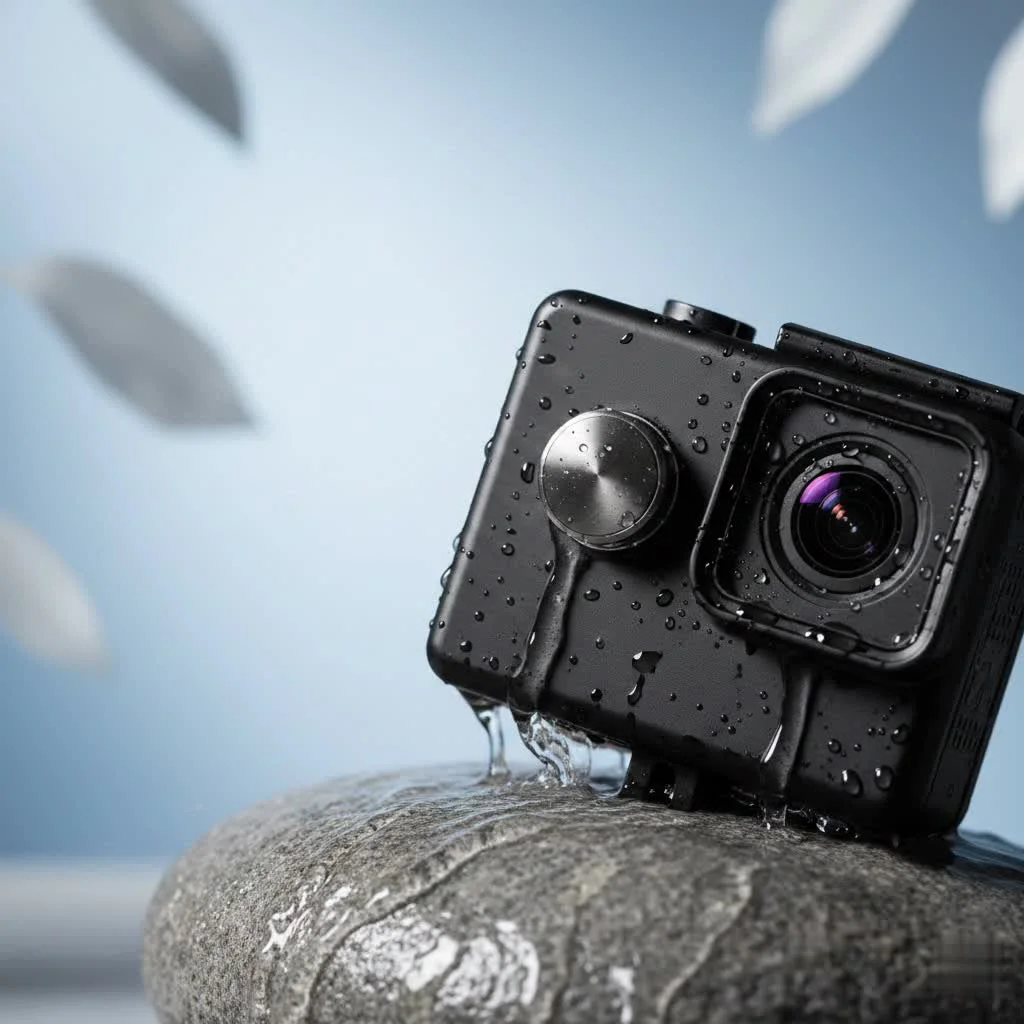
Whether you’re a seasoned professional looking for a reliable B-camera or a complete beginner eager to capture your first adventure, understanding what makes this little camera tick is key. We’ll explore its capabilities, compare its most popular models, and give you the pro tips you need to start shooting incredible footage right out of the box.
The Rise of a GoPro Killer: What is the Yi Action Camera?
The Yi Action Camera, developed by Yi Technology, entered the market as a direct competitor to GoPro, but with a focus on affordability. The goal was simple: to democratize action videography by packing high-end features into a device that didn’t break the bank. The first model was a success, but it was the Yi 4K and its successor, the Yi 4K+, that truly cemented the brand’s legacy. These models offered specs that rivaled, and in some cases, surpassed the contemporary GoPro models, including true 4K video recording and a highly responsive touchscreen.
Key Features That Defined the Yi Camera
- High-Quality Imaging: At its core, the Yi Action Camera utilized Sony sensors, renowned for their excellent performance in a variety of lighting conditions. This allowed users to capture crisp, vibrant, and detailed footage.
- Intuitive Touchscreen: The rear of the camera featured a large, bright Gorilla Glass touchscreen that was incredibly easy to navigate. This was a major selling point, making it simple to change settings, frame shots, and review footage on the fly.
- Impressive Video Resolutions: The Yi 4K+ was a trailblazer, becoming the world’s first action camera to shoot 4K video at a smooth 60 frames per second. This feature was a game-changer, providing silky-smooth slow-motion capabilities at an ultra-high resolution.
- Electronic Image Stabilization (EIS): To combat shaky footage, Yi cameras implemented robust EIS. While not as flawless as later-generation optical or advanced digital stabilization, it did a commendable job of smoothing out bumps and jitters from activities like mountain biking or walking.
- Wi-Fi and Bluetooth Connectivity: Pairing the camera with the Yi Action app on a smartphone was seamless. This allowed for remote control, live preview, and quick transfer of photos and videos, making it easy to share your adventures on social media.
|
Our Picks for the Best Action Camera in 2026
As an Amazon Associate I earn from qualifying purchases.
|
||
| Num | Product | Action |
|---|---|---|
| 1 | DJI Osmo Action 5 Pro Standard Combo, Waterproof Action Camera with 1/1.3\" Sensor, 4K/120fps Video, Subject Tracking, Stabilization, Dual OLED Touchscreens, Action Camera 4K Ideal for Sports, Vlog |

|
| 2 | Insta360 X5 - Waterproof 8K 360° Action Camera, Leading Low Light, Invisible Selfie Stick Effect, Rugged and Replaceable Lens, 3-Hour Battery, Built-in Wind Guard, Stabilization, Triple AI Chip Design |
|
| 3 | DJI Osmo Action 5 Pro Essential Combo, Waterproof Action Camera with 1/1.3\" Sensor, 4K/120fps Video, Subject Tracking, Stabilization, Dual OLED Touchscreens, Action Camera 4K Ideal for Sports, Vlog |
|
| 4 | DJI Osmo Action 4 Essential Combo, 4K/120fps Waterproof Action Camera with a 1/1.3-Inch Sensor, Stunning Low-Light Imaging,10-bit & D-Log M Color Performance, Long-Lasting 160 Mins, Outdoor Camera |
|
| 5 | ODDV 4K 30MP Waterproof Action Camera with 60FPS & Dual Screens, 132FT Underwater Camera with 64GB Card, EIS Stabilization, 5X Zoom, WiFi Remote Control Action Camera Ideal for Sports, Snorkeling |
|
| 6 | Mini Action Camera 4K - 128G Thumb Sports Camera with EIS Stabilization, Wearable POV Chest Camera, Waterproof for Running, Cycling, Swimming, Hiking, Outdoor Adventures |
|
| 7 | Apexcam Action Camera 4K with 64G SD Card Sports Cameras 20MP 131FT Waterproof Underwater Camera WiFi Cameras with 2.4G Remote Control, 2 Batteries, Mounting Accessories Kits |
|
| 8 | GoPro HERO13 Black - Waterproof Action Camera with 5.3K60 Video, 27MP Photo + Compatability with HB-Series Lenses |
|
| 9 | DJI Osmo Action 4 Standard Combo, 4K/120fps Waterproof Action Camera with a 1/1.3-Inch Sensor, Stunning Low-Light Imaging,10-bit & D-Log M Color Performance, Long-Lasting 160 Mins, Outdoor Camera |
|
| 10 | 4K 60FPS Waterproof Action Camera,Bare Metal 66FT Underwater Camera,2\" Touch Dual Screen Sports 6-Axis Stabilization,2 Batteries Internal Microphone Vlog Camera for Diving Cycling Outdoor |
|
Expert Take by Alex Vance, RWSTX.com Founder: “When the Yi 4K+ launched, we were blown away. It offered 4K/60fps recording before even GoPro had it in their lineup. For a camera that cost significantly less, it was a technical masterpiece that proved high-quality action footage could be accessible to everyone.”
A Breakdown of the Most Popular Yi Models
While Yi Technology produced several cameras, two models, in particular, stand out as the most popular and impactful. Understanding their differences is key to appreciating the brand’s evolution.
Yi 4K Action Camera
The Yi 4K was the model that truly put the company on the map. It was a direct challenger to the GoPro Hero4 and Hero5 Black, offering a compelling set of features for a fraction of the cost.
- Video: Capable of shooting true 4K at 30fps.
- Processor: Ambarella A9SE chipset.
- Screen: 2.19-inch touchscreen with 640×360 resolution.
- Battery Life: Offered a respectable 2 hours of 4K/30fps recording.
- Connectivity: Dual-band Wi-Fi for fast file transfers.
Yi 4K+ Action Camera
Building on the success of the 4K, the 4K+ pushed the envelope even further. It was an iterative but significant upgrade that catered to more demanding users who wanted the absolute best performance.
- Video: The first action camera to offer 4K at 60fps.
- Processor: Upgraded Ambarella H2 chipset, which enabled higher frame rates and lower power consumption.
- Features: Added Electronic Image Stabilization up to 4K/30fps, voice control, and RAW image capture for professional photo editing.
- Connectivity: USB-C port for faster transfers and external microphone support via an adapter.
| Feature | Yi 4K Action Camera | Yi 4K+ Action Camera |
|---|---|---|
| Max 4K Resolution | 4K / 30fps | 4K / 60fps |
| Image Stabilization | Yes (up to 2.5K) | Yes (up to 4K/30fps) |
| Processor | Ambarella A9SE | Ambarella H2 |
| Voice Control | No | Yes |
| RAW Photos | No | Yes |
| USB Port | Micro-USB | USB-C |
Getting Started: Pro Tips for Your Yi Action Camera
Owning a Yi Action Camera is one thing; mastering it is another. With a few simple tricks, you can elevate your footage from simple clips to cinematic sequences.
1. Dial-In Your Settings
Don’t just stick to the default auto mode. Experiment with the settings to get the look you want.
- Resolution and Frame Rate: For fast-paced action where you might want slow-motion, shoot in 1080p at 120fps. For the highest detail in scenic shots, use 4K at 30fps or 60fps (on the 4K+).
- Field of View (FOV): The “Wide” setting is great for capturing immersive action shots. However, it can create a “fisheye” distortion. For portraits or shots where you want less distortion, switch to “Medium” or “Narrow”.
- White Balance: While “Auto” works well, locking the white balance to a specific setting (like “Daylight” or “Cloudy”) can prevent distracting color shifts in your video as lighting conditions change slightly.
- Flat Color Profile: If you plan on color grading your footage in post-production, shoot in the “Flat” color profile. This will produce a video that looks washed out initially but retains more detail in the shadows and highlights, giving you much more flexibility when editing.
2. Prioritize Stability
Electronic Image Stabilization helps, but good physical technique is better. Whenever possible, use a mount, a gimbal, or a tripod. If you’re shooting handheld, keep the camera close to your body and use both hands to minimize shake.
3. Essential Accessories for Your Yi Camera
The camera is just the beginning. The right accessories will unlock its full potential.
- Waterproof Housing: This is non-negotiable for any water-based activities. It not only keeps the camera dry but also protects it from dust, dirt, and impacts.
- Extra Batteries: Action camera batteries are small and don’t last forever. Always carry at least one or two fully charged spares so you don’t miss the perfect shot.
- High-Speed MicroSD Card: To record 4K footage without errors, you need a fast and reliable microSD card. Look for a card rated U3 or V30 for the best performance.
- Mounting Kit: A basic kit with adhesive mounts, a chest harness, and a head strap will cover most shooting scenarios, from cycling to skiing.
The Current Status of Yi Technology
In recent years, Yi Technology has shifted its focus away from the highly competitive action camera market. The company has pivoted primarily towards producing home security and dashboard cameras. As a result, the Yi 4K+ remains the brand’s last major flagship in the action camera space. While new models are no longer being released, these cameras remain a fantastic value on the secondhand market. They are reliable, powerful, and still produce stunning footage that holds up well against many newer, more expensive cameras.
Frequently Asked Questions (FAQ)
Is the Yi Action Camera waterproof on its own? No, the camera itself is not waterproof. You must use the official waterproof case to protect it from water. With the case, it is typically rated for depths of up to 40 meters (130 feet).
How do I connect my Yi Action Camera to my phone? You can connect the camera to your smartphone by downloading the Yi Action app from the App Store or Google Play. Then, turn on the camera’s Wi-Fi from the settings menu and connect to it from your phone’s Wi-Fi settings. The app allows you to see a live preview, change settings, and download your files.
Can I use GoPro mounts with a Yi Action Camera? Yes, the Yi Action Camera uses the same standard mounting system as GoPro. This means you can use the vast majority of GoPro-compatible mounts, tripods, and accessories without any issues.
What is the best SD card for a Yi 4K+? For recording 4K/60fps video, you need a high-speed microSD card. It is recommended to use a card with a UHS Speed Class 3 (U3) or Video Speed Class 30 (V30) rating or higher to ensure smooth recording without dropped frames.
Is the Yi Action Camera still a good buy today? For budget-conscious creators, a used Yi 4K or 4K+ can be an excellent purchase. It offers 4K recording, a great touchscreen, and manual controls that are still very capable. While it lacks the advanced stabilization and features of the latest GoPro or DJI models, its image quality-to-price ratio remains one of the best.
Final Thoughts: The Enduring Legacy
The Yi Action Camera carved out a crucial space in the market, proving that high-performance gear could be both excellent and accessible. It challenged the status quo and forced competitors to innovate while keeping prices in check. For many creators, a Yi camera was their first step into the world of videography, allowing them to capture their passions and share them with the world.
While the company has moved on to other ventures, the impact of the Yi 4K and 4K+ is undeniable. They remain powerful, capable tools that, in the right hands, can still produce breathtaking content. If you’re looking for a low-cost entry into the world of action videography or a dependable backup camera, the Yi Action Camera is a legendary choice that still deserves your attention.
Frequently Asked Questions
Is the Yi Action Camera waterproof on its own?
No, the Yi Action Camera itself is not waterproof. To protect it from water, you must use the official waterproof case, which typically provides protection for depths of up to 40 meters (130 feet).
How do I connect my Yi Action Camera to my phone?
You can connect your Yi Action Camera to your smartphone by downloading the Yi Action app from the App Store or Google Play. After installing, turn on the camera's Wi-Fi from its settings menu and then connect to it via your phone's Wi-Fi settings. The app enables live preview, setting adjustments, and file transfers.
Can I use GoPro mounts with a Yi Action Camera?
Yes, the Yi Action Camera utilizes the same standard mounting system as GoPro. This compatibility allows users to employ the vast majority of GoPro-compatible mounts, tripods, and other accessories without any issues.
What is the best SD card for a Yi 4K+?
For optimal performance when recording 4K/60fps video with a Yi 4K+, a high-speed microSD card is essential. It is recommended to use a card with a UHS Speed Class 3 (U3) or Video Speed Class 30 (V30) rating or higher to ensure smooth recording and prevent dropped frames.
Is the Yi Action Camera still a good purchase today?
For budget-conscious creators, a used Yi 4K or 4K+ remains an excellent purchase in 2024. These models offer capable 4K recording, a responsive touchscreen, and manual controls that still produce stunning footage, despite lacking the advanced stabilization of newer, more expensive cameras.

I picked up the original Yi 4K after reading about its Sony sensor, and I’m really happy with the image quality. It’s my go-to for snorkeling trips and casual vlogging. The touchscreen is surprisingly responsive, which makes navigating menus a breeze. My only minor gripe is that the battery life could be a little better, but I just carry a spare.
I’ve been using the Yi 4K+ for about a year now, and it’s seriously impressive for the price. The 4K at 60fps feature was a game-changer for my mountain biking videos. It holds up really well against much more expensive cameras, and the footage is always super smooth. Definitely a solid choice if you’re on a budget but don’t want to compromise on quality.
I got the Yi 4K model hoping for a good GoPro alternative, and while the video quality is decent for the price, I found the low-light performance to be a bit disappointing. It struggles in dimmer conditions compared to what I was expecting. For bright, sunny outdoor shots it’s fine, but anything else is just okay. Still, it’s hard to beat the value.
As a beginner in action videography, the Yi 4K has been perfect for me. It was so much more affordable than other options, and the tips in the post really helped me get started. I’ve been using it to capture my hikes and kayaking adventures, and the footage always looks fantastic. It’s super easy to use right out of the box.