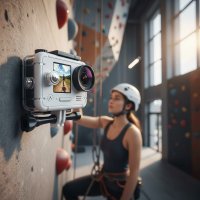
As an action cinematographer and tech enthusiast with over a decade of experience, I’ve seen countless action cameras promise the moon, only to deliver a bulky, cumbersome experience that pulls you out of the moment. But then came the Insta360 GO 2 action camera, a truly revolutionary device that changed how I approach capturing dynamic content. This tiny titan isn’t just another gadget; it’s a game-changer for anyone looking to capture breathtaking POV shots, fast-paced action, or simply those everyday moments with unparalleled ease. If you’re eager to unlock the full potential of this pocket-sized powerhouse, you’ve come to the right place. At RWSTX.com, we’re all about diving deep into the tech that matters, and the Insta360 GO 2 action camera certainly fits the bill.
What Makes the Insta360 GO 2 Stand Out? The World’s Smallest Powerhouse
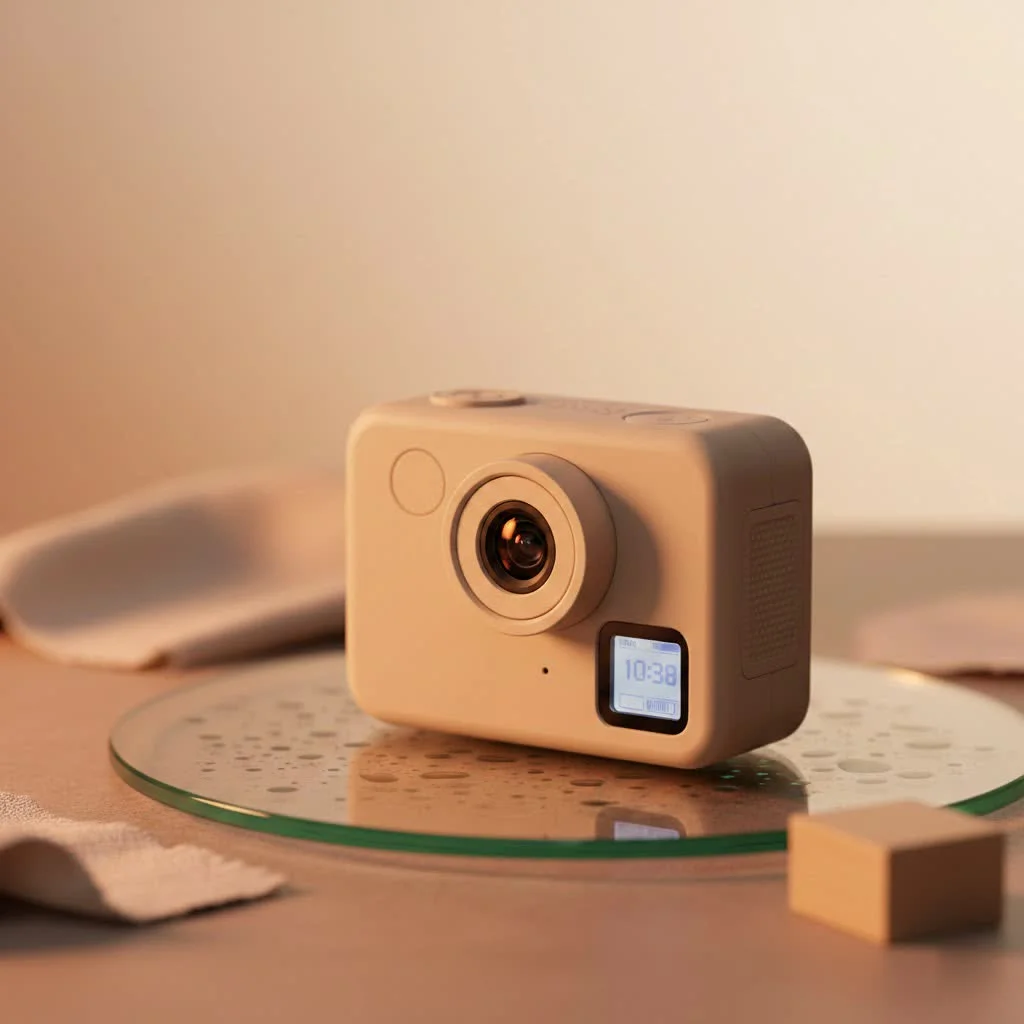
Imagine an action camera so small it virtually disappears, yet powerful enough to deliver stunning, stabilized footage. That’s the magic of the Insta360 GO 2 action camera. It redefines what’s possible with a minimalist design, proving that great things truly do come in small packages.
Tiny Titan, Big Capabilities
Weighing in at a mere 26.5 grams and roughly the size of your thumb, the Insta360 GO 2 action camera is engineered for discretion and versatility. Its magnetic body isn’t just a design quirk; it’s a fundamental feature that allows for effortless, hands-free mounting in places no other camera can go. Whether you’re attaching it to your shirt, a pet’s collar, or even a drone, its diminutive stature ensures you capture the action without being intrusive. This non-intrusive design is a massive advantage, letting you immerse yourself fully in the moment while the camera does its work.
Unleashing Creative Freedom: Mounting Options Galore
One of the true marvels of the Insta360 GO 2 action camera is its ingenious suite of accessories, designed to amplify its mounting versatility. Included in the box, you’ll find the Magnet Pendant, a clever necklace that lets you wear the camera on your chest for effortless first-person perspectives. The Easy Clip securely fastens the GO 2 to your hat or headband, offering an adjustable angle for perfect head-mounted shots. Then there’s the Pivot Stand, with its sticky base and foldable design, allowing you to mount the camera on almost any flat surface, opening up a world of static shot possibilities.
But the real star of the accessory show is the multi-functional Charge Case. Far more than just a protective shell, this case acts as a portable charger, extending your shooting time from the camera’s approximately 20-30 minutes to a robust 150 minutes of continuous recording when used together. It also doubles as a remote control, allowing you to adjust settings and trigger recordings from up to 33 feet (10 meters) away. With fold-out legs, it transforms into a mini-tripod for stable tabletop shots or can be gripped as a handle for easy handheld filming. As action cinematographer Alex “Action” Vance often says, “The Insta360 GO 2’s Charge Case isn’t just an accessory; it’s an extension of your creative toolkit, turning limitations into opportunities.”
Deep Dive into Performance: Specs That Matter
Don’t let the size fool you; the Insta360 GO 2 action camera packs a serious punch when it comes to performance. It’s built to deliver high-quality visuals and impressive stability, making it a reliable companion for almost any adventure.
Crisp Visuals and Silky Smoothness
|
Our Picks for the Best Action Camera in 2026
As an Amazon Associate I earn from qualifying purchases.
|
||
| Num | Product | Action |
|---|---|---|
| 1 | DJI Osmo Action 4 Standard Combo, 4K/120fps Waterproof Action Camera with a 1/1.3-Inch Sensor, Stunning Low-Light Imaging,10-bit & D-Log M Color Performance, Long-Lasting 160 Mins, Outdoor Camera |

|
| 2 | DJI Osmo Action 5 Pro Standard Combo, Waterproof Action Camera with 1/1.3\" Sensor, 4K/120fps Video, Subject Tracking, Stabilization, Dual OLED Touchscreens, Action Camera 4K Ideal for Sports, Vlog |
|
| 3 | Apexcam Action Camera 4K with 64G SD Card Sports Cameras 20MP 131FT Waterproof Underwater Camera WiFi Cameras with 2.4G Remote Control, 2 Batteries, Mounting Accessories Kits |
|
| 4 | ODDV 4K 30MP Waterproof Action Camera with 60FPS & Dual Screens, 132FT Underwater Camera with 64GB Card, EIS Stabilization, 5X Zoom, WiFi Remote Control Action Camera Ideal for Sports, Snorkeling |
|
| 5 | Mini Action Camera 4K - 128G Thumb Sports Camera with EIS Stabilization, Wearable POV Chest Camera, Waterproof for Running, Cycling, Swimming, Hiking, Outdoor Adventures |
|
| 6 | DJI Osmo Action 4 Essential Combo, 4K/120fps Waterproof Action Camera with a 1/1.3-Inch Sensor, Stunning Low-Light Imaging,10-bit & D-Log M Color Performance, Long-Lasting 160 Mins, Outdoor Camera |
|
| 7 | Insta360 X5 - Waterproof 8K 360° Action Camera, Leading Low Light, Invisible Selfie Stick Effect, Rugged and Replaceable Lens, 3-Hour Battery, Built-in Wind Guard, Stabilization, Triple AI Chip Design |
|
| 8 | DJI Osmo Action 5 Pro Essential Combo, Waterproof Action Camera with 1/1.3\" Sensor, 4K/120fps Video, Subject Tracking, Stabilization, Dual OLED Touchscreens, Action Camera 4K Ideal for Sports, Vlog |
|
| 9 | 4K 60FPS Waterproof Action Camera,Bare Metal 66FT Underwater Camera,2\" Touch Dual Screen Sports 6-Axis Stabilization,2 Batteries Internal Microphone Vlog Camera for Diving Cycling Outdoor |
|
| 10 | GoPro HERO13 Black - Waterproof Action Camera with 5.3K60 Video, 27MP Photo + Compatability with HB-Series Lenses |
|
The core of the Insta360 GO 2 action camera’s video prowess lies in its ability to capture stunning footage at resolutions up to 1440p at 50 frames per second (fps). For those craving ultra-smooth slow-motion replays, it can even record in 1080p at 120fps, allowing you to slow down key moments by up to 4x.
However, the real showstopper is Insta360’s proprietary FlowState Stabilization. This advanced software stabilization, especially when engaged in Pro Video mode, produces buttery-smooth footage that rivals larger, gimbal-equipped cameras. Coupled with Horizon Lock, which keeps your video perfectly level regardless of how much the camera tumbles, the Insta360 GO 2 action camera ensures your audience stays focused on the action, not on shaky footage. With a maximum video bitrate of 80Mbps, your videos retain excellent detail and dynamic range, offering plenty of flexibility in post-production.
Beyond Video: Photo Capabilities
While primarily a video camera, the Insta360 GO 2 action camera is also capable of capturing impressive still images. It shoots photos at up to 9 megapixels, providing decent quality for social sharing or quick snaps. For those who demand maximum quality and control, the camera supports RAW photo capture, giving you greater flexibility in editing. It also features a variety of photo modes, including Standard, Interval, Night Shot, Starlapse, and PureShot, catering to different creative needs and lighting conditions.
Durability for Any Adventure
Action cameras are made to withstand the elements, and the Insta360 GO 2 action camera is no exception. It boasts IPX8 waterproofing, allowing it to be submerged up to 4 meters (13 feet) without the need for an additional case. This makes it perfect for water sports, rainy adventures, or even just accidental splashes. The lens also features a changeable glass guard, which can be easily unscrewed and replaced if damaged. This thoughtful design also allows for the attachment of ND (Neutral Density) filters, sold separately, which are crucial for achieving balanced exposures and cinematic motion blur in bright conditions.
Powering Your Adventures: Battery Life & Storage
The compact size of the Insta360 GO 2 action camera means its internal battery provides about 20-30 minutes of standalone recording. However, as mentioned, the Charge Case dramatically extends this to approximately 150 minutes, ensuring you have enough power for extended shooting sessions. For storage, the GO 2 comes with 32GB of internal memory (approximately 28GB usable), which is ample for its typical clip lengths and video resolutions. It’s important to note that there is no external SD card slot, so managing your footage by offloading it regularly is key.
Mastering Your Shots: Essential Tips and Tricks
To truly harness the power of your Insta360 GO 2 action camera, understanding a few key tips and tricks can elevate your footage from good to unforgettable.
Optimal Settings for Cinematic Results
To get the most out of your Insta360 GO 2 action camera, always shoot in Pro Video mode. This is where FlowState Stabilization performs at its best, providing that signature smooth look. Coupled with a high bitrate, your footage will offer superior detail and greater latitude for color grading and adjustments in your editing software. When it comes to Field of View (FOV), experiment with Ultrawide for expansive, immersive shots or ActionView for a slightly wider vertical perspective, which can be great for certain action sequences.
For challenging lighting conditions, especially bright outdoor scenes, investing in ND filters is a must. These filters reduce the amount of light hitting the sensor, allowing you to maintain a cinematic shutter speed and avoid overexposed footage. Remember, proper exposure is the bedrock of professional-looking video.
Creative Modes for Every Scenario
The Insta360 GO 2 action camera offers a suite of creative modes designed to inspire.
- Hyperlapse (TimeShift) mode compresses action into fast-paced, dynamic sequences, perfect for travel vlogs or documenting a long journey.
- Timelapse mode, with its special Nightlapse feature, allows you to capture stunning time-lapses, even in low-light environments, with AI-powered exposure adjustments.
- HDR Video mode excels in high-contrast scenes, boosting colors and dynamic range to deliver visually rich footage. It’s best used for stationary or slow-moving shots to avoid motion artifacts.
- And, of course, the Slow Motion mode at 120fps lets you capture dramatic, detailed slow-motion clips that emphasize key moments of action.
Post-Production Power with the Insta360 App
The Insta360 companion app is an indispensable tool for every GO 2 owner. It allows for real-time preview and control of your camera settings via Wi-Fi, giving you immediate feedback on your framing and exposure. The app also features FlashCut 2.0, an AI-powered auto-editing function that takes your favorite clips, stitches them together to music, and even offers themed templates, saving you valuable editing time. For underwater enthusiasts, the AquaVision algorithm dramatically improves clarity and color in sub-aquatic footage, removing the common blue haze associated with underwater video.
Insta360 GO 2 in the Wild: Real-World Applications
The compact form factor and advanced features of the Insta360 GO 2 action camera make it incredibly versatile for a wide array of activities and content creation styles.
For vlogging and travel, its unobtrusive design allows for natural interactions and unique perspectives without drawing attention. Imagine capturing your hiking adventure from your backpack strap or a cycling journey from your helmet without feeling weighed down. In sports, the GO 2 shines. Whether it’s mountain biking, skateboarding, or even extreme parkour, its magnetic mounting and robust stabilization mean you can capture immersive, hands-free POV footage that truly puts viewers in the thick of the action. Its waterproofing makes it a natural fit for water sports like surfing or paddleboarding, capturing dynamic aquatic scenes with ease.
One particularly exciting application is its use with FPV (First Person View) drones. Its lightweight nature makes it an ideal choice for smaller drones, enabling pilots to capture breathtaking cinematic footage from unique aerial perspectives that would be impossible with larger, heavier action cameras. As Oscar Liang, a prominent FPV reviewer, notes, “The Insta360 GO 2 is a powerful tiny action camera that you can put on small FPV drones to capture cinematic footage.” This opens up a whole new realm of creative possibilities for drone pilots seeking to add a unique flair to their aerial videography.
The GO 2 vs. The Competition: A Quick Look
When comparing the Insta360 GO 2 action camera to its predecessor, the original Insta360 GO, the improvements are substantial. The GO 2 boasts a larger image sensor (1/2.3″), significantly improved resolution (1440p 50fps vs. 1080p 25fps), double the maximum video bitrate (80Mbps vs. 40Mbps), and enhanced waterproofing (IPX8 to 4 meters vs. IPX4). The internal storage also jumped from 8GB to 32GB, and the maximum clip length increased from a restrictive 5 minutes to a more practical 10-15 minutes (or 30 minutes in FPV mode). The multi-functional Charge Case alone makes it a far more complete and user-friendly package.
Against larger action cameras like the GoPro Hero series, the Insta360 GO 2 action camera operates in a different league. While cameras like the GoPro Hero 9 offer higher resolutions (e.g., 5K 30fps) and slightly higher bitrates, the GO 2’s primary advantage is its unmatched size and weight. At 26.5g, it’s drastically lighter than a GoPro Hero 9 (158g), making it ideal for micro drones or situations where discretion and minimal bulk are paramount. While a Naked GoPro can reduce weight, the GO 2 still maintains a significant size advantage. The choice often comes down to prioritizing raw resolution and robust built-in stabilization (GoPro) versus unparalleled portability and unique mounting possibilities (Insta360 GO 2 action camera).
Frequently Asked Questions (FAQ)
What is the maximum video resolution of the Insta360 GO 2?
The Insta360 GO 2 action camera can record video at a maximum resolution of 1440p at 50 frames per second (fps). It also offers 1080p at 120fps for super-smooth slow-motion effects.
How long does the battery last on the Insta360 GO 2?
The camera itself provides approximately 20-30 minutes of recording time. However, when used with its multi-functional Charge Case, the total battery life extends up to 150 minutes (2.5 hours).
Is the Insta360 GO 2 waterproof?
Yes, the Insta360 GO 2 action camera is IPX8 waterproof up to 4 meters (13 feet) without needing any additional housing. Just make sure the included lens guard is securely installed.
Can I use an external SD card with the Insta360 GO 2?
No, the Insta360 GO 2 action camera does not support external SD cards. It comes with 32GB of built-in storage, providing approximately 28GB of usable space for your footage.
What is FlowState Stabilization?
FlowState Stabilization is Insta360’s proprietary electronic image stabilization technology. It uses advanced algorithms to deliver incredibly smooth and stable video footage, even in the most action-packed scenarios, effectively eliminating shakes and bumps.
What kind of accessories come with the Insta360 GO 2?
The standalone Insta360 GO 2 action camera comes with a versatile Charge Case, a Magnet Pendant for chest-mounted shots, an Easy Clip for hats or headbands, a Pivot Stand for various surfaces, a Charge Cable, and a pre-installed Lens Guard.
Ready to Elevate Your Action Shots?
The Insta360 GO 2 action camera is more than just a tiny camera; it’s a testament to innovation, offering incredible versatility, robust stabilization, and creative freedom in a package that fits right in your pocket. From hands-free POV adventures to dynamic FPV footage, this miniature marvel continues to impress. It’s a camera that genuinely allows you to capture those fleeting, impossible-to-get shots without missing a beat. So, if you’re ready to break free from bulky gear and embrace a new era of action videography, the Insta360 GO 2 is waiting. Dive in, experiment, and share your incredible stories with the world. And as always, for the deepest insights and most reliable gear reviews, keep it locked on RWSTX.com – your trusted source for all things action camera.
Get our weekly buyer guide
Practical specs, not advice. Unsubscribe anytime.